This page explains how to find the version number of your installation of ReFH 2 or WINFAP.
Providing this information when you submit a support request allows us to resolve your issue faster.
First open the application. If you are unable to open the application, go to here.
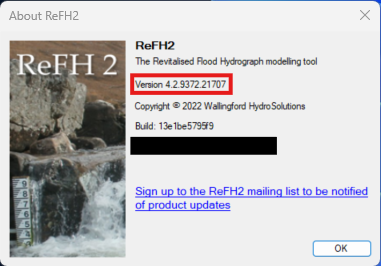
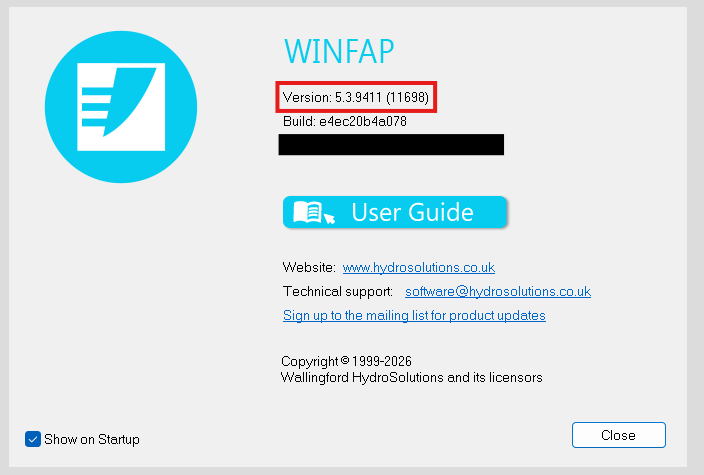
- Click Help on the menu bar
- Click the About menu item
- Make a note of the version number shown in the About window
ReFH2
WINFAP
Getting the version number from Program Files
Use this approach if you are unable to start the application.
- Navigate to the installation folder:
- For ReFH 2 C:\Program Files\FEH Software\ReFH2
- For WINFAP C:\Program Files (x86)\FEH Software\WINFAP5
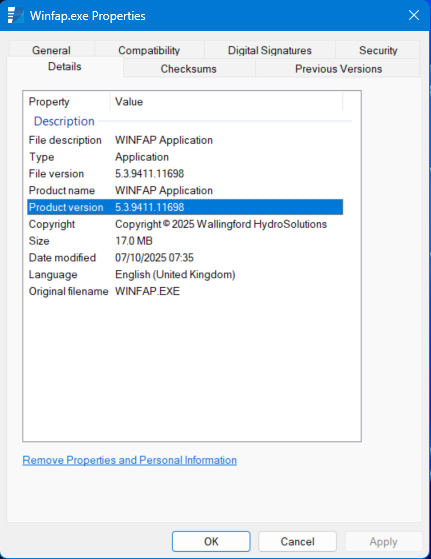
- Right-click on the .exe file and click Properties.
- Click the Details tab.
- Make a note of the Product version